Use AI at every step of design, in eight weekends.
Start a design project in week one and carry it through every phase, from first sketch to rendered concepts, walkthrough video, drawing set and your own practice app.
Two live sessions every weekend. Each phase ends with something you have built on your own design project. Open a phase to see every session.
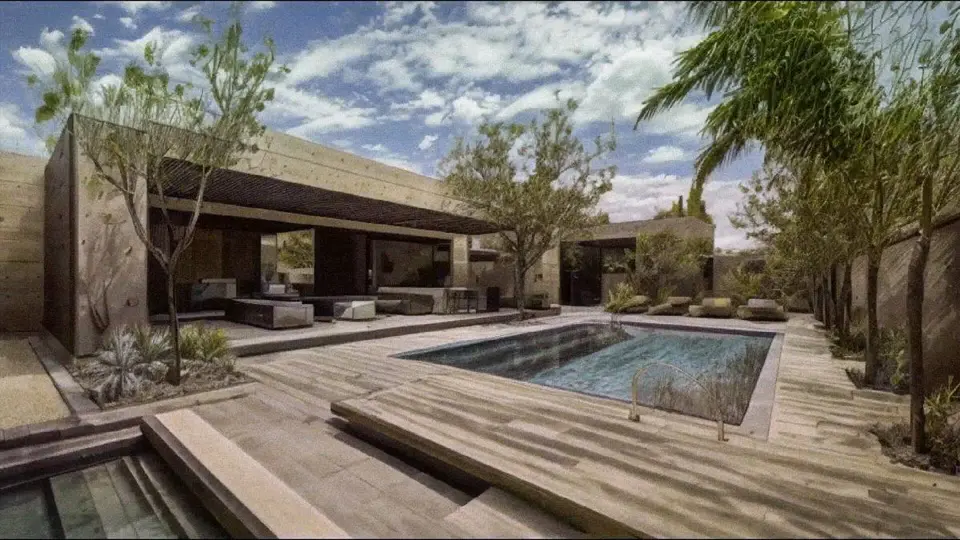
Sample output: sketch to render, courtyard and pool
LEARNWEEKS 1–2 · 23–31 JAN · 8 LIVE HRS
Prompt and render with AI
01Decode the AI black box & set up your AI studio
02Turn your sketches into rendered concepts
03Render one space in every style & material
04Build your own GPT for your project
You'll produceA prompt library, a sketch-to-concept project, a board of rendering methods and your own custom GPT.
See all 4 sessions
S01Decode the AI Black Box & Set Up Your AI StudioSat 23 Jan · Parshav Sheth & Yohan WadiaHow generative AI works, and your AI tools set up. ChatGPTGoogle GeminiClaude
S02Turn Your Sketches into Rendered ConceptsSun 24 Jan · Vasudha KarnaniA prompt library and a first sketch-to-concept project. Google Gemini
S03Render One Space in Every Style, Material & MethodSat 30 Jan · Vasudha KarnaniA board of visual methods and material variations. ChatGPTGoogle GeminiMiro
S04Build Your Own GPT for Your ProjectSun 31 Jan · Vasudha KarnaniCustom GPT assistants for your design domains. ChatGPTMiro
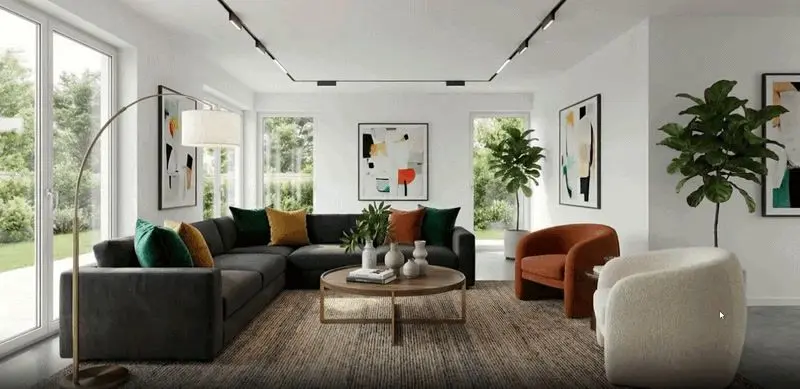
Sample output: empty room to furnished, image to video
APPLYWEEKS 3–4 · 6–14 FEB · 8 LIVE HRS
Build your visualisation workflow
05Build your own image-generation workflow
06Render your SketchUp project live
07Design your space in real time
08Create a walkthrough video of your project
You'll produceYour own AI workflow, a live-rendered SketchUp project, consistent upscaled visuals and a walkthrough video.
See all 4 sessions
S05Build Your Own Image Generation WorkflowSat 6 Feb · Vasudha KarnaniYour own custom AI workflow, from concept images to renders. XfiguraRhino
S06Render Your SketchUp Project LiveSun 7 Feb · Vasudha KarnaniA rendered SketchUp project and a storyboard. LookXSketchUp
S07Design Your Space in Real TimeSat 13 Feb · Vasudha KarnaniRefined, upscaled and consistent project visuals. Krea AI
S08Create a Walkthrough Video of Your ProjectSun 14 Feb · Yohan WadiaA walkthrough video of your project. Kling AI
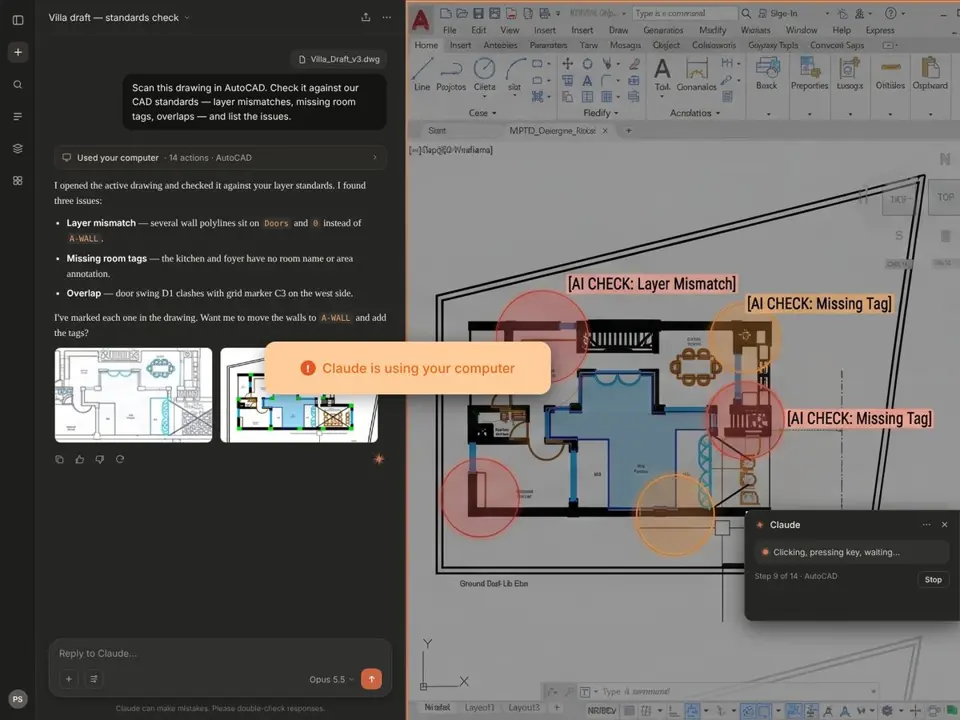
Sample output: AI checking an AutoCAD drawing against layer standards
BUILDWEEKS 5–6 · 20–28 FEB · 8 LIVE HRS
AI in your interiors and drawings
09Create your interior design drawings
10Link SketchUp to AI for live design options
11Check & correct AutoCAD drawings with AI
12Automate schedules & reusable AutoCAD scripts
You'll produceInterior drawings and client renders, live design options, corrected AutoCAD drawings and a reusable script library.
See all 4 sessions
S09Create Your Interior Design DrawingsSat 20 Feb · Yohan WadiaInterior design drawings and client-ready renders. Homestyler
S10Link SketchUp to AI & Generate Design Options in Real TimeSun 21 Feb · Yohan WadiaLive-generated design options from your SketchUp model. SketchUpSketchUp AI plugin
S11Check & Correct Your AutoCAD Drawings with AISat 27 Feb · Yohan WadiaChecked and corrected drawings. AutoCADClaudeChatGPT
S12Automate Schedules & Build Your Reusable AutoCAD ScriptsSun 28 Feb · Yohan WadiaAutomated schedules and a reusable script library. AutoCADClaudeChatGPT
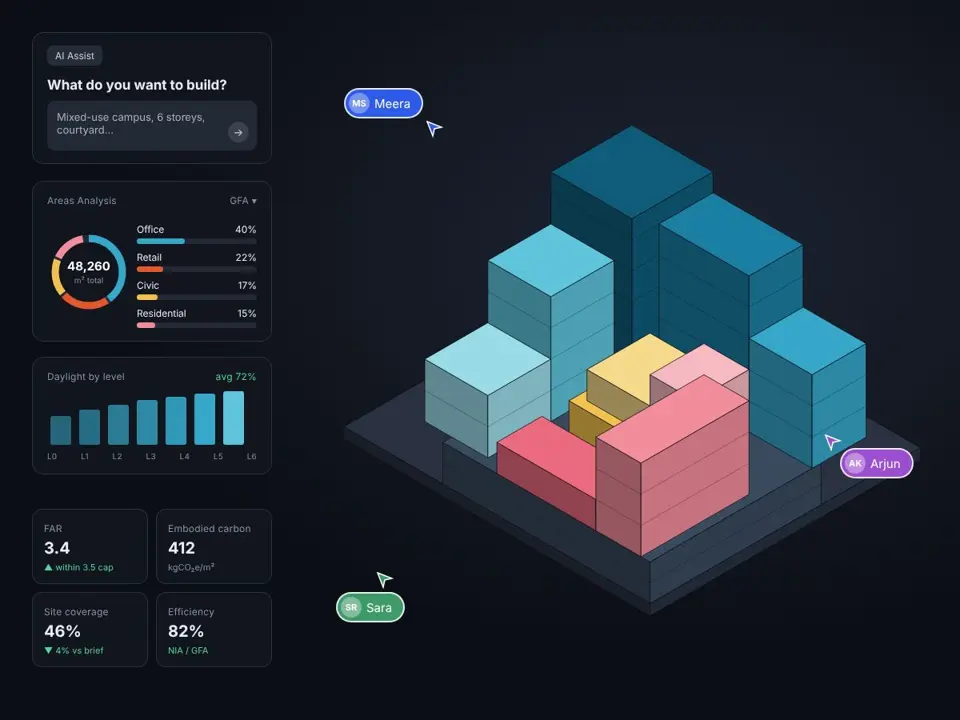
Sample output: AI-assisted massing with area and daylight analysis
SCALEWEEKS 7–8 · 6–14 MAR · 8 LIVE HRS
BIM, planning and your own tools
13Build a Revit model from prompts
14Automate dimensions, schedules & sheets
15Plan & mass your building in Snaptrude
16Build a web app for your practice
You'll produceA Revit model and drawing set built with AI, Snaptrude space plans and massing, and your own practice app.
See all 4 sessions
S13Build a Revit Model from PromptsSat 6 Mar · Aishwarya ArunA Revit model built by prompt. RevitRevit MCP + Astra 6
S14Automate Dimensioning, Schedules & Your Revit Drawing SetSun 7 Mar · Aishwarya ArunAuto-dimensioned drawings, schedules and a sheet set. RevitRevit MCP + Astra 6
S15Plan & Mass Your Building with AI in SnaptrudeSat 13 Mar · Aishwarya ArunAI-generated space plans and massing for your project. Snaptrude
S16Build a Web App or Tool for Your PracticeSun 14 Mar · Yohan Wadia & Parshav ShethYour own working practice app. LovableClaude
SAT 7–9 PM ISTSUN 11 AM–1 PM ISTONE PROJECT, START TO FINISHMOST TOOLS HAVE A FREE TIER
Benefits and outcomes
What this opens up for you.
Key benefits
Learn the AI tools design practices actually use
Live weekend sessions with expert tutors
Mentor feedback at every phase
One design project carried through every session
Expected outcomes
A portfolio of 16 outputs from one project
Renders, live options and a walkthrough video
Checked drawings, schedules and a Revit drawing set
Your own custom GPT and practice app
An @LABS certificate
Career growth
Lead AI adoption in your studio
Deliver faster with automated drafting
Offer AI visualisation as a service
An industry network and Global Connect
Your faculty
Practitioners, not just lecturers.
Architects, technologists and computational designers who use these tools in practice.
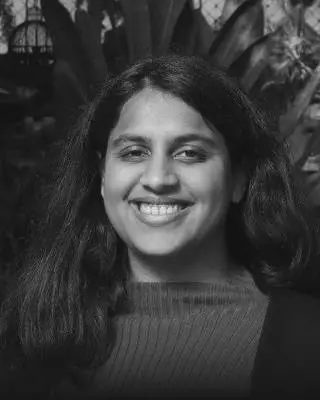
Parshav Sheth
Big data analyst · Academician
Yohan Wadia
Architect · AI specialist
Vasudha Karnani
Architectural technologist · AI optimisation specialist
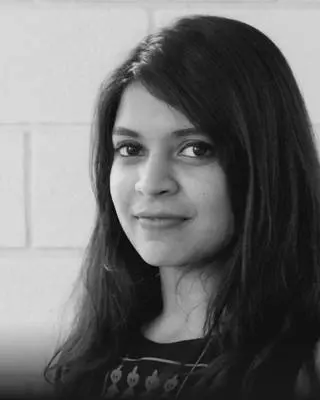
Aishwarya Arun
Computational designer · Tech developer
The @LABS Collective
A global mentor network.
Mentors who have guided past cohorts, from mobility and environment to computation and AI.
Maria Augusta Kroetz
Mobility planner · Urban AI specialist
Disha Shetty
Environmental analyst · Building performance analyst
Ocean Jangda
Real estate specialist · Urban technologist
Karim Abillama
Urban design strategist · Landscape architect
Dimitris Lampriadis
Data analytical engineer · Urban technologist
Hiranya Ganatra
Spatial data analyst · Urbanist
In their words
What our alumni say.
From a media artist in Germany to a principal architect in Goa.
Apurva BengaluruMedia Artist · Freelancer, Germany5 YEARS EXPERIENCE
I had tried learning this on my own, but it would have taken me years to figure out. The clarity on using technology in my work has genuinely improved and I've already started applying it in bits and parts. The experience was both enjoyable and a much needed step forward in my career.
Nikhil AkhirAssociate Consultant · Knight Frank India, Mumbai3 YEARS EXPERIENCE
Enrolling in this course was a transformative experience. Interacting with experienced professionals and domain experts bridged theory with real-world practice. Beyond data generation and analysis, the course emphasised the critical importance of visualisation and communication, equipping us with diverse tools to present insights effectively. Learning to work with AI significantly expanded my skill set and perspective.
Somya KhandelwalConservation Architect · Surat7 YEARS EXPERIENCE
As a conservation architect, this program has helped me integrate realistic data into the analysis and development of toolkits for heritage sites, even without on-site engagement. Data and software integration saves time and enables more realistic, data-driven outcomes. I strongly recommend that architects and planners invest in learning these tools.
Divyani MehtaPrincipal Architect · HUE Collaborative, Goa8 YEARS EXPERIENCE
What struck me most about @LABS, both through the program and the talks, is how they bring to light topics that seem invisible in our daily work. Things we overlook in our regular practice, yet when you actually engage with them, you realise how much time and efficiency could be gained simply by integrating AI. I'm deeply grateful to the program and the people behind it for creating something this thoughtful and impactful.